Your files, on your servers, as easy as File Explorer.
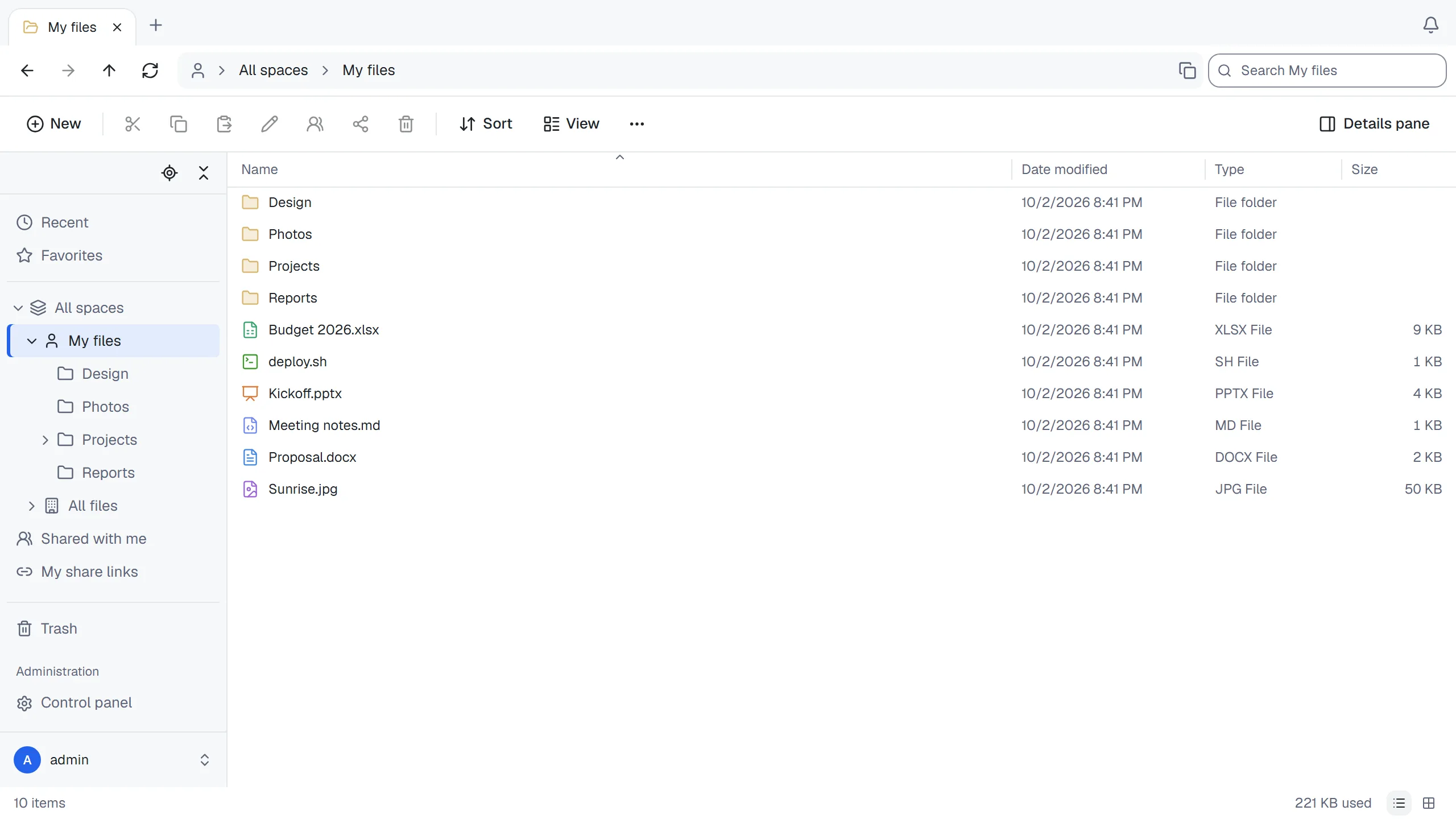
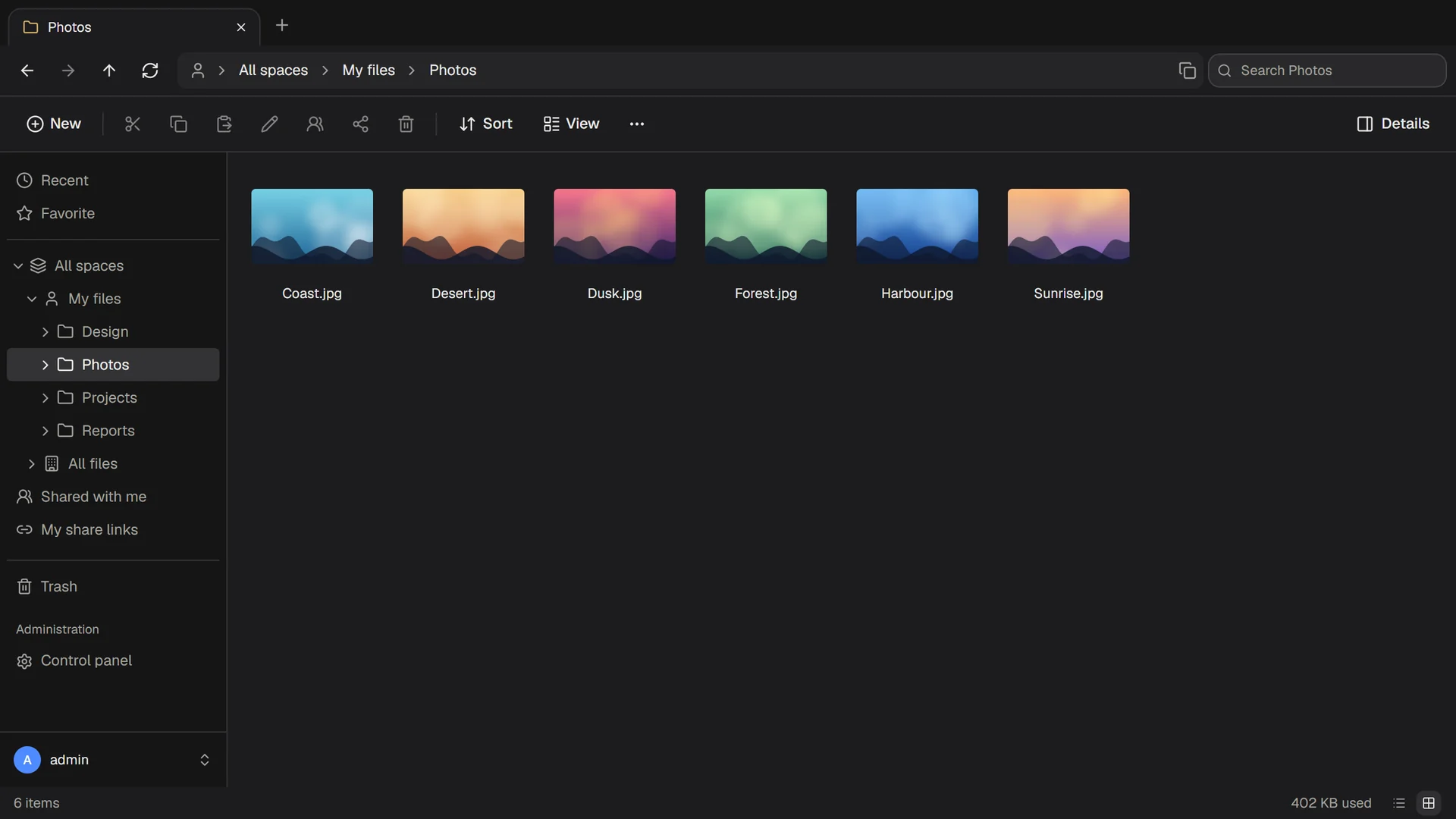
ThirtyFile is a file manager for your team that runs in the browser. It looks and works like the File Explorer everyone already knows, and your files stay on storage you control.
Everything a shared drive needs
No training required. If you can use File Explorer, you can use ThirtyFile.
Familiar from the first click
Tabs, an address bar, a folder tree, drag and drop, right-click menus and the keyboard shortcuts you already use. Or map it as a drive on a computer or phone.
Office files open in the browser
Preview Word, PowerPoint and Excel without installing anything. Edit the text of Word documents, Excel workbooks and text files online, with earlier versions kept.
Share with a link
Send a link with a password, an expiry date and a download limit. Share a folder with a colleague, or let people send files to you.
Storage you choose
A local disk or NAS, where your files stay ordinary folders, S3-compatible storage, SFTP or FTP. An existing folder, such as a NAS share, can become a space.
Spaces for every team
Personal, company-wide and team spaces, with roles for viewers, editors and managers, and a size limit for each.
Sign in your way
Passwords with two-factor sign-in, or accounts from Microsoft, Google, GitHub or any OpenID Connect provider. Every sign-in and file action is logged.
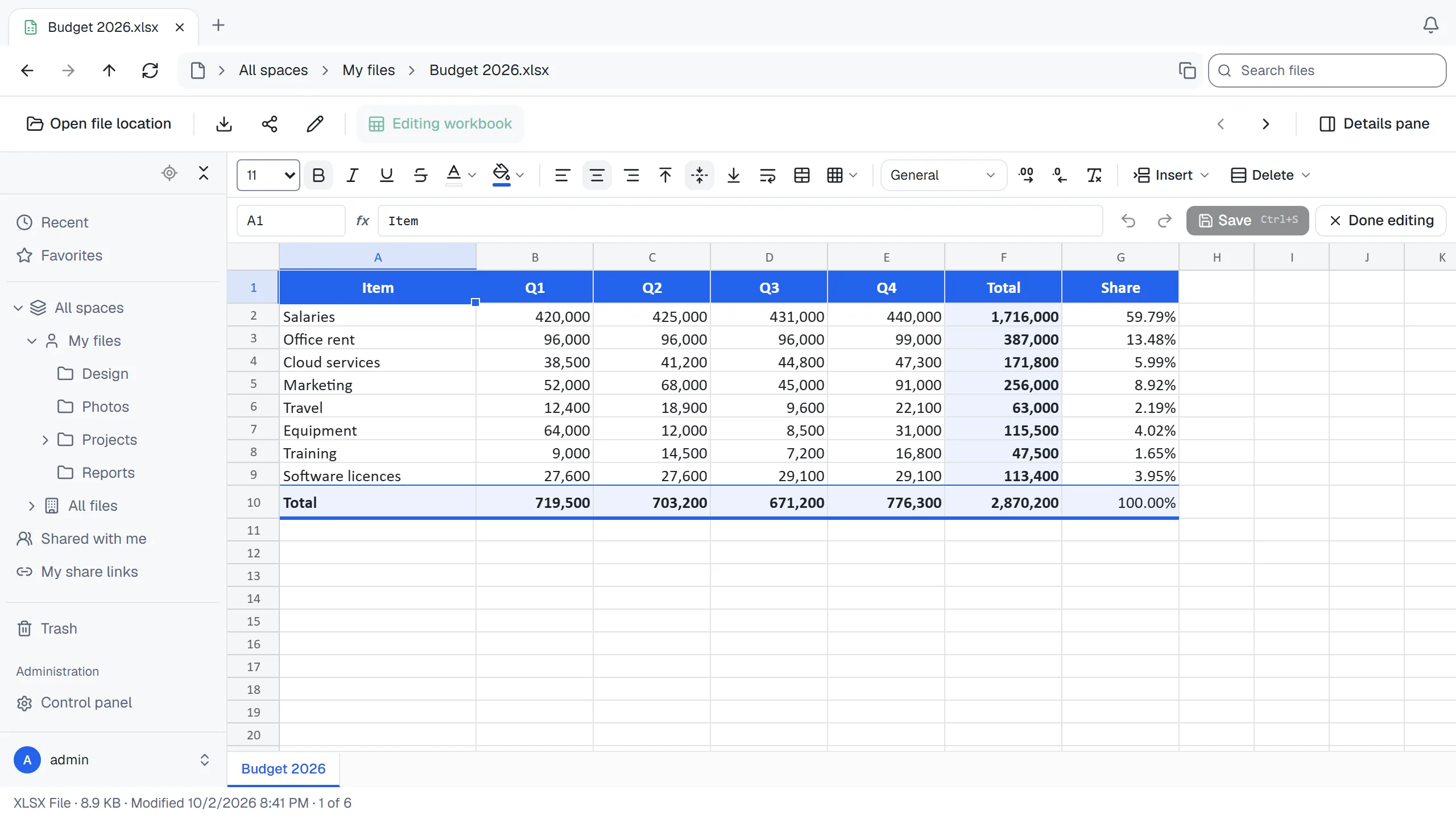
Edit spreadsheets without leaving the browser
Open an Excel workbook, change what you need and save. The file stays a normal Excel file that opens anywhere.
- Formulas, number formats, colours and borders
- Copy and paste to and from Excel
- Charts, pictures and everything else in the file are left untouched
Share exactly as much as you mean to
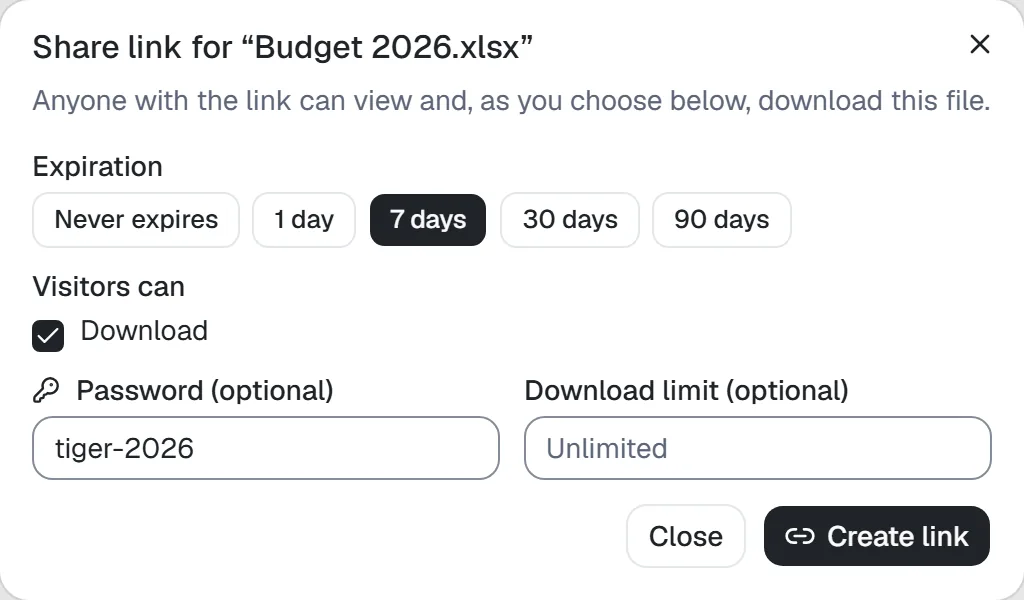
A link can ask for a password, stop working after a week, or allow a set number of downloads.
- Links stop working when the person who made them loses access
- See who opened a link, and when
- Recipients need no account
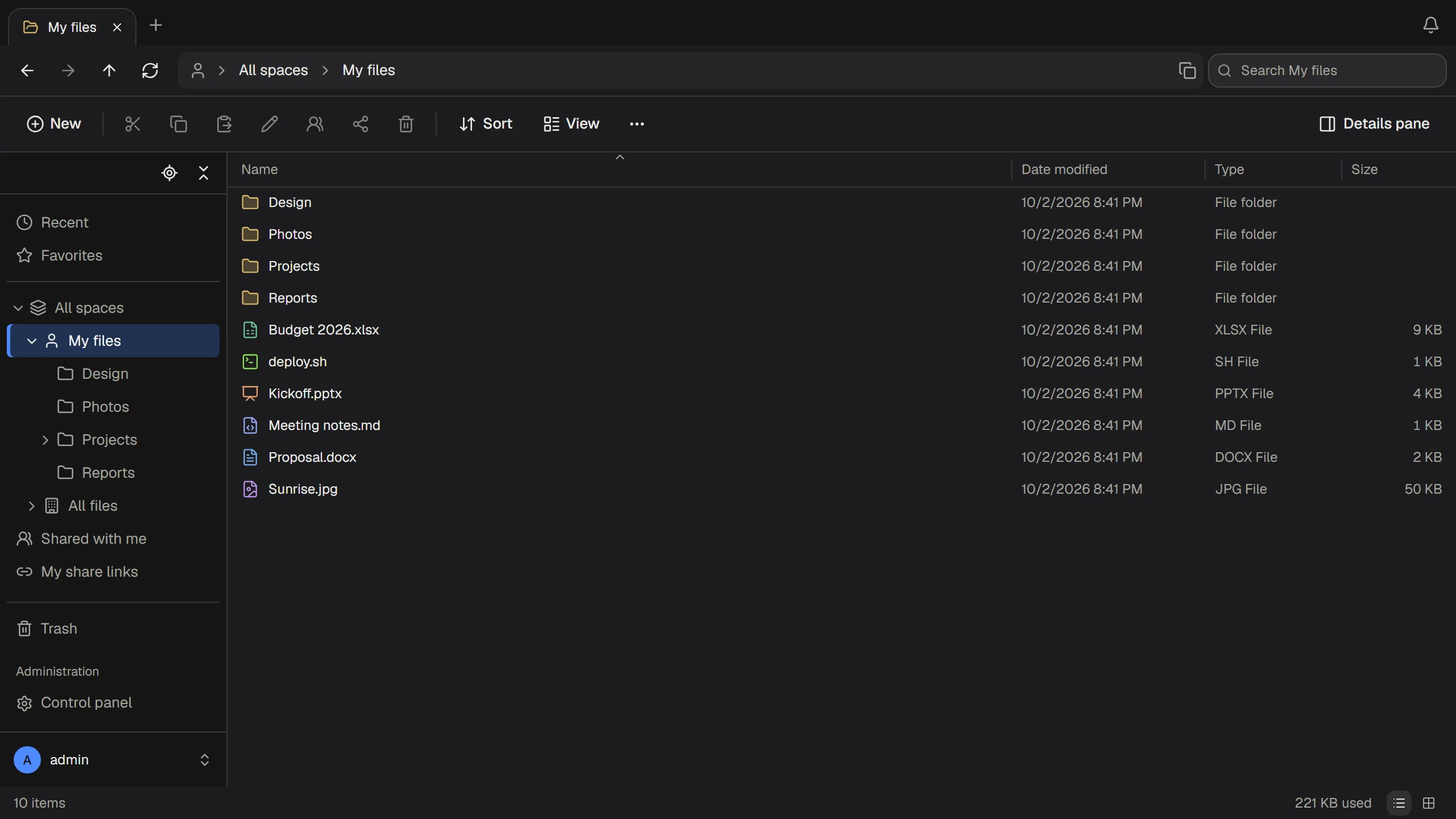
Comfortable day and night, desk or phone
Light and dark mode, a layout for phones, and English, Traditional Chinese, Simplified Chinese or Japanese for each person.
- Thumbnails for photos and a viewer for video, audio and PDF
- Uploads continue where they stopped after a lost connection
- Your own name, logo and colours on every page
Running in one minute
One small program. No database or web server to set up.
- Install Dockeron the computer or server that will hold the files.
- Run the commandwith a password of your choice.
- Open the pageat
http://localhost:8080and sign in asadmin.
docker run -d --name thirtyfile --restart unless-stopped \
  -p 8080:8080 \
  -v /srv/thirtyfile/data:/data \
  -v /srv/thirtyfile/storage:/storage \
  -e THIRTYFILE_ADMIN_PASSWORD='choose-a-password' \
  ghcr.io/thirtyfile/thirtyfile:latest
curl -fLO https://github.com/ThirtyFile/ThirtyFile/releases/latest/download/compose.yaml
docker compose up -d
Give your team a drive of their own
Install it in a minute and see for yourself. The source code is on GitHub.